
By Gaurav Sharma | Founder & Lead Writer
Updated: November 2026. This is not medical advice and not a hearing test.
As an Amazon Associate, After60Guide earns from qualifying purchases. You do not pay extra. Phones for seniors are easier to buy when you start with the job, not the brand. A flip phone is for calls and texts. A simple smartphone is for video calls with family. The handset price is the small bill. The monthly plan is the one that lasts.
Most phones for seniors fail for a boring reason. The buttons are small, or the phone only works on one company’s plan. Buy the phone for the job you actually do. Calls only is one job. Video calls with family is another. A red button is not the same as a fall alarm.
Pick from the job
- You want to call and text, and you do not want apps: a flip phone with big keys.
- You want to see grandchildren on video: a simple smartphone, or the smartphone you already own with bigger text.
- You already use an iPhone and only the text is small: do not buy a new phone yet. Make the text larger first.
- You need someone to come if you fall and cannot reach the phone: a phone button is the wrong product. That is a medical-alert device you wear.
The bill matters more than the phone
A flip phone can be $40 or $80. The plan can be $20 to $50 every month. Two years of a plan costs more than the handset. Before you buy, write down three things: who you call, whether you need data, and whether the phone is locked to one company.
Lively phones on this page work with Lively service only. They are not for a SIM you already have from another carrier. If you want to keep Consumer Cellular or another plan, do not buy these two.
We compared those carriers here: Consumer Cellular vs Costco Wireless.
Lively Jitterbug Flip2 — calls, texts, big buttons
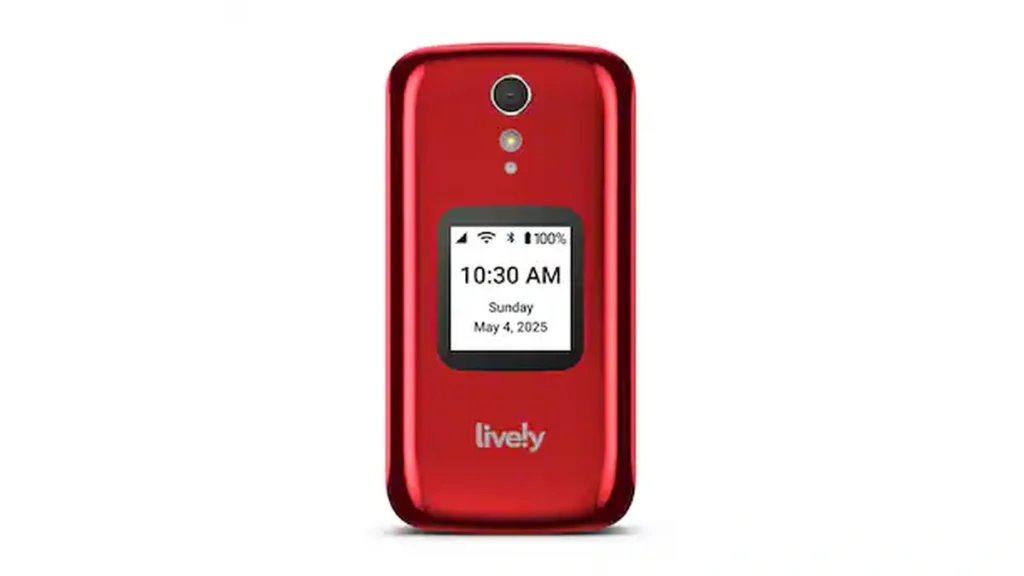
This is a flip phone. The keys are large. The menu is a list, not a grid of tiny icons. Lively says it includes a powerful speaker, one-touch speed dial, and a Help button on the keypad. Urgent Response, the service behind that button, depends on the Lively plan you activate. The phone by itself is not a 24-hour nurse.
Buy it if you want the keypad covered when it is in a pocket or a purse. Skip it if you need maps, email, or a big screen for video. Skip it if your hearing aid was set up for a different phone. Ask the audiologist before you switch. A new phone can whistle or go quiet with a hearing aid even when the box looks simple.
Lively Jitterbug Flip2 on Amazon
Lively Jitterbug Smart5 — video calls, still a short menu
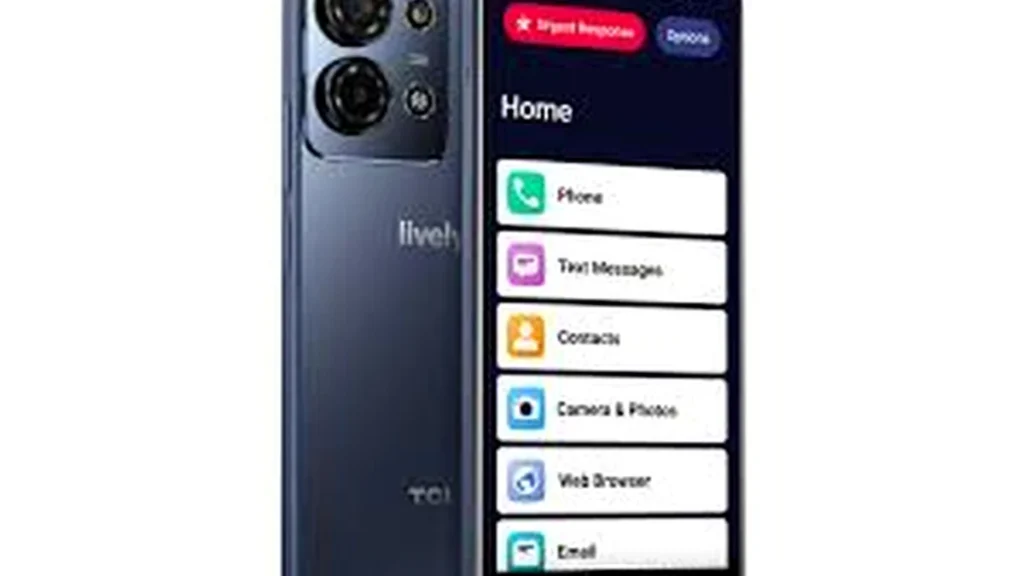
This is a touchscreen phone with a 6.75-inch screen and a list menu instead of a full app store layout. Lively says it is only for Lively service, and that the plan includes unlimited talk and text plus access to their team. The listing also mentions voice calling, real-time call captions, and an Urgent Response button. Captions help some people. They are not a substitute for a hearing aid that was fitted for you.
Buy it if the family group chat is a video call and a flip screen is too small. Skip it if a touchscreen already frustrates you. A bigger screen does not fix a missed tap. Also skip it if you will not pay Lively every month. The handset is useless on another carrier.
Lively Jitterbug Smart5 on Amazon
Lively Jitterbug Flip3 — newer flip, fewer owners so far
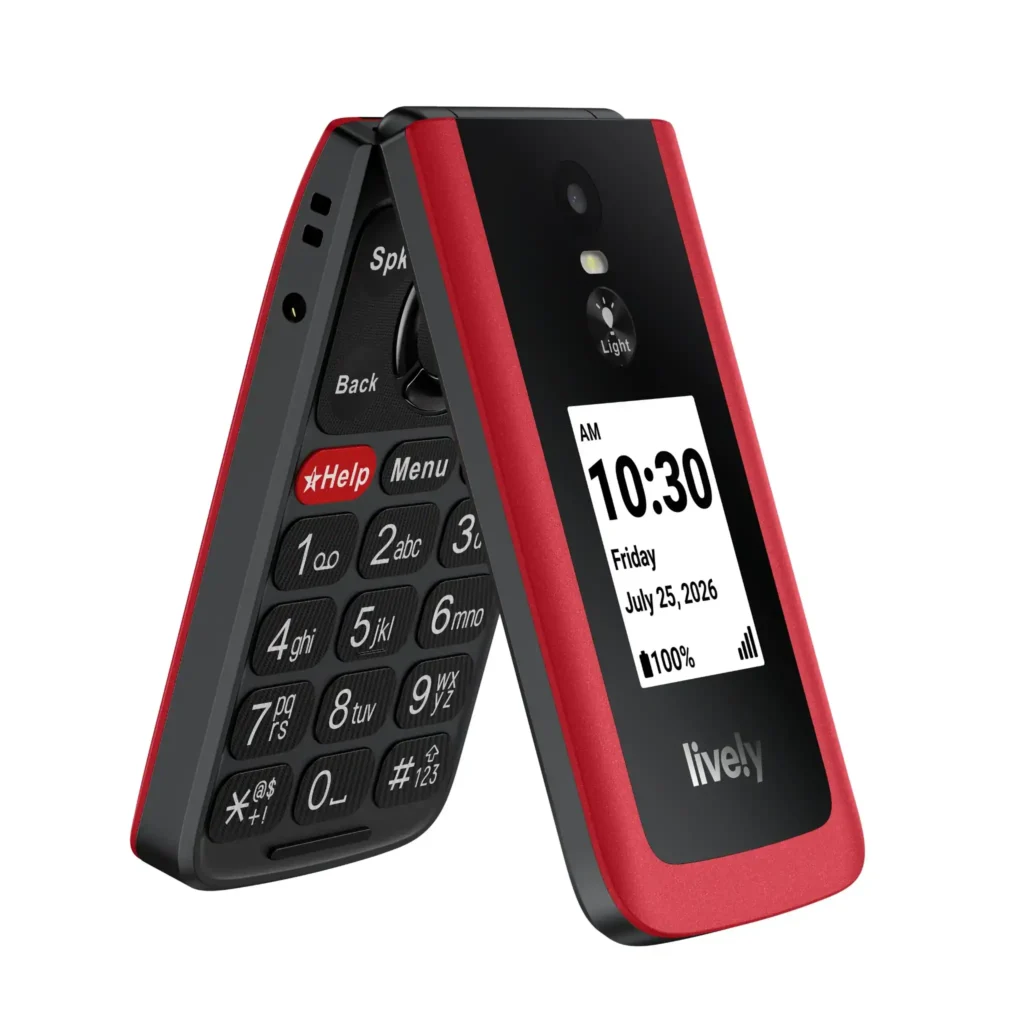
The Flip3 is the newer Lively flip. The maker says it has a high-contrast screen, big buttons, a simple menu, a loud speaker, one-touch speed dial, and a Help button. It still works only on a Lively plan. You cannot drop in a SIM from Consumer Cellular or another carrier.
Lively’s own help page lists a 3.2-inch screen. Urgent Response is an add-on, not a promise that the cheap plan includes a person on the other end. Amazon reviews are still few, and they are mixed. Buy the Flip2 if you want the model more people have already used. Buy the Flip3 only if it is in stock and cheaper, and you accept a newer model with less history.
Lively Jitterbug Flip3 on Amazon
Keep the phone you have
A new phone is a waste if the only problem is small type. On an iPhone, larger text and a bigger home screen solve a lot of “I need a senior phone” complaints. The steps are in free Apple classes for seniors. If the eyes tire after twenty minutes, that is a setup problem as much as a phone problem. See screen eye strain.
Before you pay
- Confirm the Amazon page says In Stock, and that the model name matches Flip2 or Smart5. A case or a SIM kit is not the phone.
- Read whether Urgent Response is included or only on a higher plan.
- Ask which network it uses where you live. A cheap phone with no signal in the house is a doorstop.
- If someone else will set it up, have them sit with you for the first three calls. A phone you cannot dial after they leave was the wrong phone.
Short answers
What is the simplest phone for seniors? A flip phone with big keys, if you only call and text. The Flip2 is that kind of phone, and it locks you into Lively.
Do I need a smartphone? Only if you want video, photos, or email. Otherwise you will pay more and tap the wrong icon.
Is the Help button enough if I fall? No. If you cannot reach the phone, the button does nothing. A worn alert is a different device. Call 911 for an emergency you can still reach.
Sources
Check the current plan page before you buy. This article does not rank every phone on Amazon, and it is not a promise that any button will reach help.



Gaurav Sharma is the founder and lead writer of After60Guide. He writes practical, source-cited guides on movement, nutrition, home safety, and everyday living after 60. He is not a doctor, physical therapist, or financial adviser. Health and money articles are general education, checked against official public sources where relevant — not personal advice. Corrections: contact@after60guide.com